
Stop Processing Invoices. Let AI Do It.
End-to-end AP invoice automation that classifies documents, matches vendors, validates POs, and creates bills in NetSuite — without manual intervention.
From inbox to payment — fully automated
Five AI-powered stages process invoices end-to-end. Your team only steps in when the system needs a decision.
Invoice Identification
AI classifies incoming email attachments as invoices or non-invoices automatically.
Vendor Identification
AI matches invoice data to vendor records in your ERP using name, bank details, and address.
Invoice Verification
PO validation, duplicate detection, and compliance checks — all against your ERP data.
Bill Creation
Automated line-by-line matching and bill generation directly in NetSuite.
Payment Ready
Bill created successfully and ready for payment. Full audit trail captured in Jira.
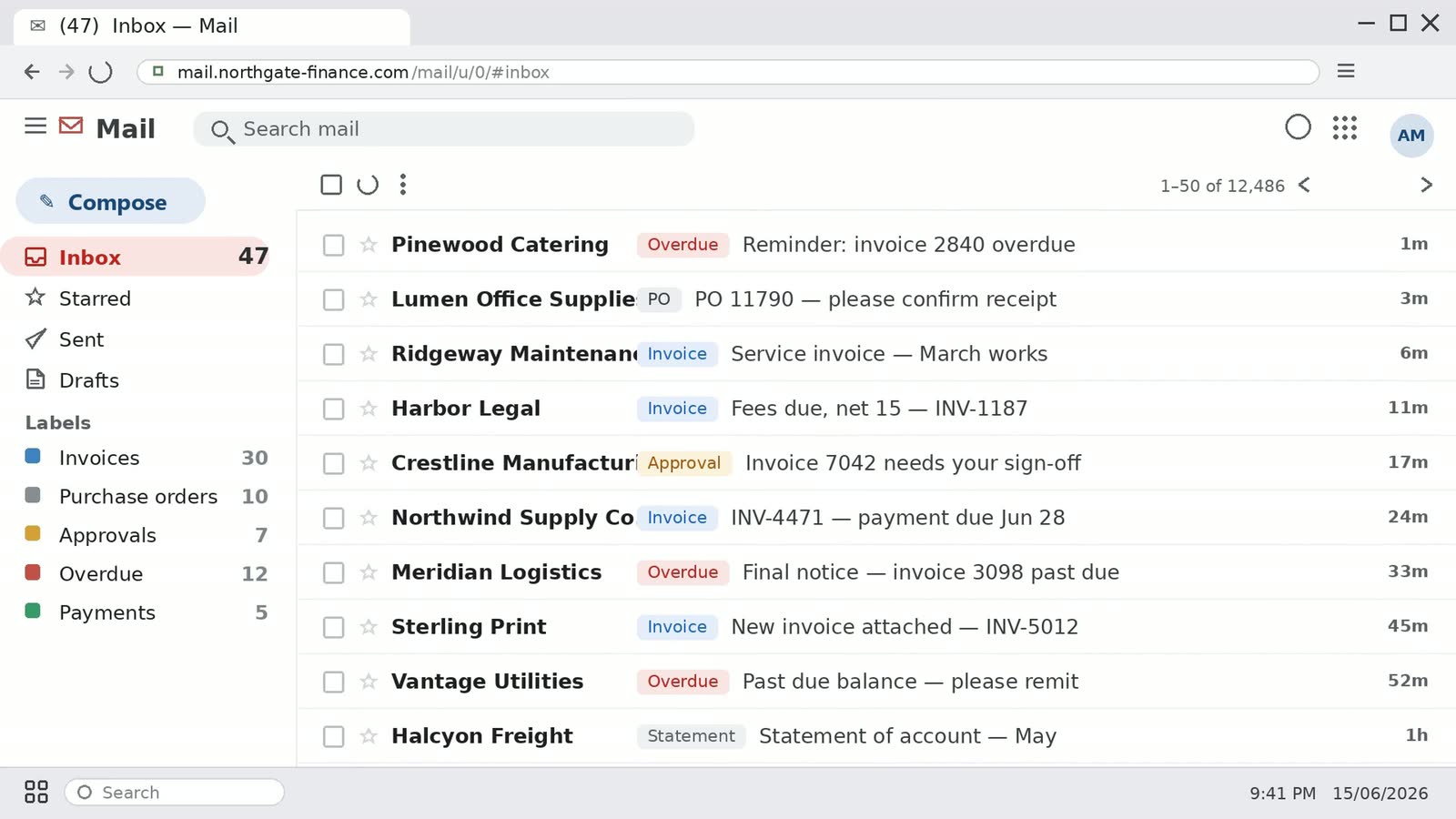
42 seconds, end to end — the same inbox, exception queue, and posted bill your team would work in.
Built for real-world AP operations
Not just automation — intelligent exception handling, approval workflows, and full audit compliance.
AI Document Classification
AI identifies invoices from non-invoices across email attachments — no templates or rules to maintain.
Intelligent Vendor Matching
AI matches invoices to ERP vendor records using company name, bank account, email, and physical address data points.
Smart Exception Handling
When issues arise, users correct data directly in the ticket and the automation resumes — no need to restart from scratch.
Delegation of Authority
Automated approval routing through your management hierarchy with email notifications, escalation timers, and quick actions.
Real-Time Dashboards
Personalized Jira dashboards show pending approvals, exceptions, and processed invoices — filtered to your role and scope.
Full Audit Compliance
Every action is tracked in Jira with timestamps and user attribution. Automated vs. manual processing is flagged for reporting.
Fix once. Resume automatically.
Every exception has a clear resolution path. Correct the data, and the automation picks up exactly where it left off.
Vendor Not Found
Enter the correct vendor name and reprocess — AI re-matches automatically.
Missing PO
Provide the PO number or route to the approval workflow for non-PO invoices.
Out of Tolerance
Review the variance, resolve the discrepancy, and resubmit for bill creation.
Duplicate Invoice
System detects duplicates by invoice number and amount — prevents double payments.
- Exception detected Flagged
- User corrects data in ticket In Progress
- Ticket moved back to stage Reprocessing
- Automation resumes Resolved
Phased delivery. Value from week one.
We minimize risk with a phased rollout, delivering measurable ROI at every stage.
- AI invoice classification
- Automated vendor matching
- PO validation & duplicate detection
- Automated bill creation in ERP
- Dashboards & exception reporting
- One-click exception reprocessing
- DOA approval workflow
- Auto-escalation & reminders
- GL account assignment
- Quick actions (Hold / Skip)
- AI tuning & accuracy gains
- Additional vendor types
- Advanced analytics & KPIs
- Multi-subsidiary support
- Custom workflow extensions
Proven stack. Zero rip-and-replace.
Built on tools your team already uses — no new systems to learn.
AI-Powered Processing
Document classification, vendor matching, data extraction, and invoice line parsing.
Jira Service Management
Ticket workflows, approval routing, real-time dashboards, and email notifications.
NetSuite ERP
Vendor validation, PO verification, bill creation, and GL account management.
Email Integration
Inbox monitoring, PDF extraction, notification delivery, and escalation reminders.
What AP teams ask first
- How does the automation know which emails are invoices?
- AI classifies each incoming email attachment as an invoice or a non-invoice, so there are no templates and no per-vendor rules to maintain. Attachments it doesn't classify as invoices are flagged rather than processed.
- Do we have to replace NetSuite or Jira?
- No. The automation runs on the NetSuite and Jira Service Management your team already uses — NetSuite for vendor validation, PO verification, bill creation and GL accounts; Jira for ticket workflows, approvals and dashboards. There is no new system for your team to learn.
- Who still touches an invoice?
- Your team steps in only when the system needs a decision — an exception to correct, or an approval to give. Everything else, from classification through bill creation, runs without a person in the loop.
- What happens when an invoice doesn't match cleanly?
- It becomes an exception with a named reason: vendor not found, missing PO, out of tolerance, or duplicate invoice. You correct the data directly in the ticket, the ticket moves back to its stage, and the automation resumes from there instead of starting over.
- Can it handle invoices with no purchase order?
- Yes — an invoice with no PO routes to the approval workflow instead of failing. You can also supply the PO number in the ticket and let the automation continue.
- How does it match a vendor when the invoice doesn't name it exactly?
- AI matches the invoice against your ERP vendor records on several data points at once — company name, bank account details, email, and physical address — rather than on an exact name match. If it still can't identify the vendor, it raises a "vendor not found" exception you can correct and reprocess.
- How are approvals routed?
- Through your own management hierarchy, as a delegation-of-authority workflow with email notifications, escalation timers, and quick actions such as hold or skip. Approval routing is part of phase 2.
- How do you stop duplicate payments?
- The system detects duplicates by invoice number and amount before a bill is created, and raises a duplicate-invoice exception instead of posting it twice.
- What audit trail do we get?
- Every action is tracked in Jira with a timestamp and the user who took it, and automated versus manual processing is flagged so you can report on both. The full trail is captured for each invoice through to payment-ready.
- What lands in each phase?
- Phase 1 delivers the core loop — AI classification, vendor matching, PO validation and duplicate detection, automated bill creation in the ERP, and dashboards. Phase 2 adds one-click exception reprocessing, the delegation-of-authority approval workflow, auto-escalation and GL account assignment. Phase 3 covers AI tuning, additional vendor types, advanced analytics, and multi-subsidiary support.
Ready to automate your AP invoice process?
See how AI-powered automation can eliminate manual processing, reduce costs, and accelerate your payment cycle.
- Runs on your NetSuite and Jira
- No rip-and-replace
- Exceptions resume, not restart
- Every action timestamped and attributed
- Phased rollout
Four fields. We'll reach out within one business day.
Thank you — we're on it.
We'll reach out within one business day to set up the demo.